
Part of Micro Myth-busters
How Web Developers Think (And Why Business Owners Should Too)
You do not need to code to make better website decisions. Here is how developers approach problems — and what that mindset can do for your business.
· 5 min read
Quick takeaway
The best websites begin with curiosity. Before a single line of code is written, the useful questions are about your business, your customers, and the problem you are trying to solve.
Micro Myth-busters is a short series helping micro and small business owners navigate the often confusing world of websites, hosting, SEO and online visibility.
Why Thinking Like a Developer Helps
We certainly live in a rapidly accelerating world, but most business owners don't need to know how to code.
You will, however, benefit from understanding how web developers approach problems.
Thinking like a developer will help you make better decisions, avoid expensive mistakes, and build a website that does some serious heavy lifting for your business.
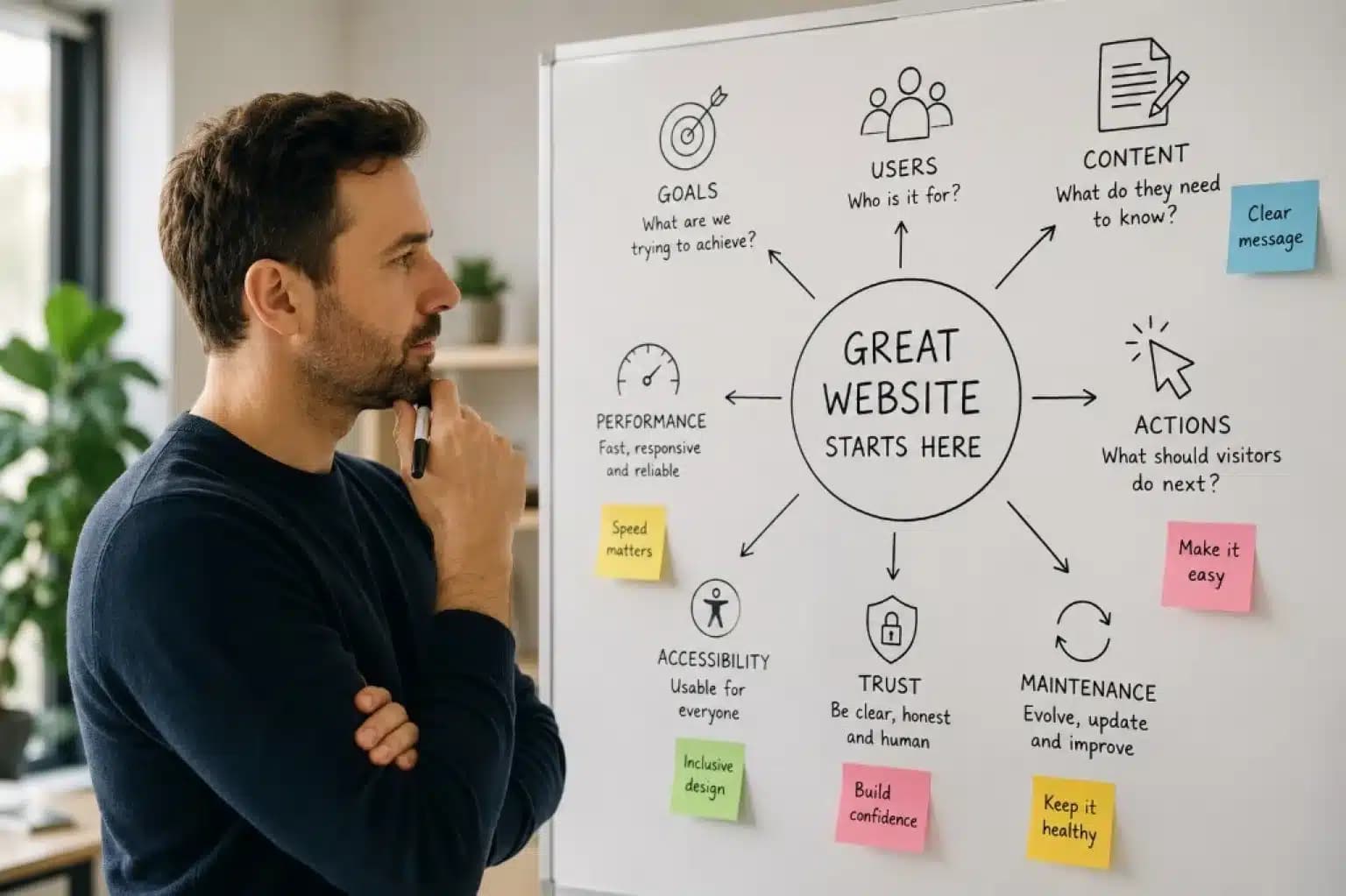
Start with the Problem, Not the Homepage
We don't start by choosing colours. That's a one-way ticket to Distraction City.
We start with questions.
- What is this website trying to achieve?
- Who is it for?
- What should visitors do once they arrive?
If you can answer those questions before you think about design, you're already ahead of the game.
Speed Isn't a Luxury
As you'll know from your own experience online, if a website is slow or stays stuck, you leave.
But we underestimate our own impatience. More than half of visitors leave if a page takes longer than just three seconds to load.
Developers think about performance from day one. We've learned to lead with speed by cutting unnecessary bloat: oversized images, excessive animations, and pages rammed with content that nobody reads.
Accessibility Helps Everyone
More organisations, institutions and governments are finally taking accessibility seriously. Requirements vary by country and context, but accessibility is about far more than what users can see or hear.
It also includes the mental effort required to complete a task. When your website asks people to remember too much, make too many decisions or recover from confusing steps, many users struggle to finish what they started.
Reducing cognitive load means intuitive, inclusive design will almost always beat complicated animations and endless scrolling pages that leave visitors perplexed.
Content Comes Before Design
AI has made writing easier, but it hasn't made good messaging automatic.
It's easy to think you're a writer when platforms can produce convincing copy in under a minute. But words really do matter, and they're worth taking the time to get right.
Clear messaging, thoughtful content and strong brand positioning should shape the design — not the other way around.
Think carefully about what you're trying to say, who you're saying it to, and what action you'd like them to take next.
If you can, ask a good writer to sense-check your copy before it goes live.
Try to understand the overall impression your business gives and make sure your words, visuals and customer experience all tell the same story.
We developers actually prefer having more content than less at this stage. It helps us understand your business properly and carve out what makes it different. We can only do that when we can hear your voice.
Websites Aren't Finished — They're Maintained
Browsers change. Security changes. Search changes. And, as I always remind people, businesses change too.
A website should evolve alongside them.
If you don't have a developer keeping an eye on things, make a habit of staying informed. Whether that's following a few trusted developers, subscribing to newsletters or asking an AI assistant to summarise the latest changes each month, a small amount of knowledge goes a long way.
Build for Trust
The best websites answer questions before visitors ask them.
People can be mysterious, but as a business owner you'll probably have a good understanding of how your customers behave.
In practical terms, that means making sure your website has:
- Clear navigation
- Transparent pricing (where appropriate)
- Genuine testimonials and reviews
- Obvious contact details
- Useful content that helps people before they become customers
Trust converts better than flashy visuals.
Show your personality. Explain what your business stands for. Use genuine photographs where you can instead of stock images. Those small touches make a website feel human.
A website doesn't earn trust because it looks expensive.
It earns trust because:
- People quickly find what they're looking for.
- They understand what you do.
- They know who they're dealing with.
- They leave with fewer questions than they arrived with.
This Is Where Websites Begin
Every project starts with understanding the business, the customer and the problem we're trying to solve.
The best websites begin with curiosity.
Before a single line of code is written, we're asking questions about your business, your customers and the problems you're trying to solve.
The keyboard comes later.
Whether you build your own website or work with a developer, learning to think this way will help you make better decisions long after your site goes live.
Need a Second Opinion on Your Website?
I'm always happy to answer questions, whether you're planning a redesign or simply trying to understand what your website could be doing better.
Or, if you'd like to start with a quick health check, try our free tool, CahillPulse. Just enter your URL to see what's happening behind the scenes and find out whether your website is healthy — or whether it could use a little attention.
Run a free Pulse check